



TonyBet App
 Download
  Download
 TonyBet doesn’t publish a native app. You won’t find it on the App Store or Google Play. What you get instead is a progressive web app, or PWA, saved to your home screen straight from your browser. One tap opens it, and it lives beside your other apps like any of them.
The PWA is simple to use. It runs on supported phones and tablets, resizing to fit whatever screen you’re on. Open it like any app, and you land straight in the betting and casino sections. No browser, no hunting for the site each time. Most account tasks work right inside it too: signing up, updating your details, making payments and claiming bonuses.
Some devices and browsers add extras on top, like biometric login and push notifications. This review walks through the TonyBet app: how to set it up on Android and iOS, and what you gain from it.
Android App Option
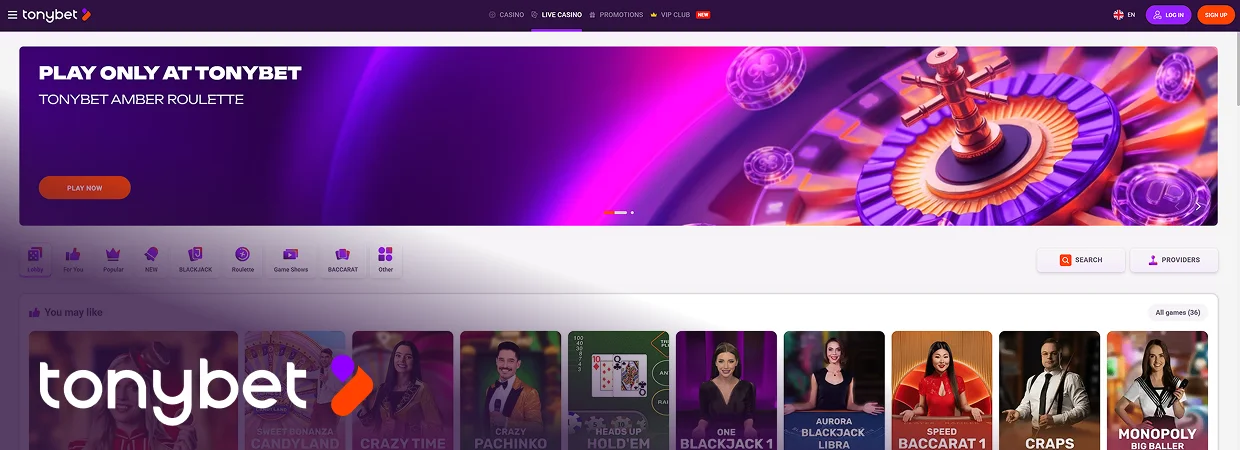
If you’re using Android, you won’t find TonyBet on Google Play. Instead, you can open the website in your browser and add the PWA to your home screen. This means you don’t need to download a TonyBet APK or change your phone’s security settings.
Download and Installation
If your Android browser supports web apps, you can get the TonyBet Android app set up in just a few steps. Follow the guide below to get started:
- Load the browser of your choice on your smartphone or tablet.
- Go to the TonyBet website.
- Click the ‘three-dot’ menu at the top right corner of the page.
- Press ‘Add to home screen.’
- Confirm the installation.
Supported Android Devices
Because the TonyBet App runs through the browser, its hardware requirements are relatively modest. The main considerations are having a reasonably current operating system, an up-to-date browser, and a stable internet connection. Most modern Android phones and tablets should therefore be capable of running it. Some of the compatible devices include popular brands like:
- Samsung Galaxy Series
- Xiaomi
- Honor
- Google Pixel
- Oppo
- Motorola
- LG
- Huawei
- TCL
- Nokia
- OnePlus
iOS App Option
If you have a fairly recent iPhone or iPad, you should be able to use the TonyBet iOS PWA without any issues. Because there’s no native app listed on the App Store, there’s nothing you need to install from there. After adding the PWA to your home screen, just tap its icon to get back to the TonyBet site whenever you need it.
Download and Installation
Your browser needs to run web apps to get the TonyBet app on your iOS device. To download TonyBet app:
- Open Safari or your preferred browser on your iPhone or iPad.
- Head to the official TonyBet site.
- Tap the ‘Share’ icon at the bottom of the page.
- Click ‘Add to Home Screen.’
- Hit ‘Add’ to confirm the installation.
Supported iOS Devices
Not sure if your device is compatible? You don’t need to have the latest iPhone or iPad to get the PWA. Because the app is merely a shortcut to the website, it is light and doesn’t require many system specifications.
Compatibility depends primarily on the browser and operating system, while a reliable Wi-Fi or mobile-data connection is required for the platform itself. Some available storage is also needed when saving the shortcut.
These specifications are easy to meet when using most iPhones and iPads. Some of these devices can be updated to the latest versions to allow them to run the app more smoothly. Compatible iOS devices may include:
- iPhone 7 and later versions
- iPad Air, iPad Pro, and iPad Mini
Unique App Features
The PWA, while not exactly a native app, works like a traditional app. It offers the same level of convenience when gaming or betting on the go. All the features from the desktop version are available on the TonyBet app, making cross-platform use easy.
Plus, the TonyBet app has some additional features to improve your on-the-go experience. These features include:
- Secure Logins: The brand is able to track your gaming and betting activities on the platform to understand your likes and preferences. It can then make recommendations of games, offers, and other products and services that you’ll enjoy.
- Personalised Recommendations: TonyBet is able to track your gaming and betting activities on the platform to understand your likes and preferences. It can then make recommendations of games, offers, and other products and services that you’ll enjoy.
- Multi-Device Use: You can download the TonyBet app on as many devices as you’d like. You won’t need a different account to enjoy TonyBet on all these smartphones and tablets. The same logins can be used to access your account across all of them, making cross-platform gaming and betting possible. What’s more, the app is compatible with both iOS and Android devices.
- Push Notifications: Get updates on ongoing or upcoming sporting events, new game releases, offers, and other services when on the move. The brand provides push notifications that give real-time updates so you won’t miss out on anything. You can get the messages even when the app isn’t running.
- Full Game Library: All the games from the website version can be accessed through the app. They adapt to your screen size and can be played in both portrait and landscape modes.
- Hundreds of Sports Markets: Bet on all your favourite sports from anywhere on the app. Popular sports, niche sports, and esports are all available on the app.
- Live Betting: Besides placing pre-match bets, you can also enjoy in-play betting on the app. Furthermore, you can also play live dealer games right on the application.
- Bonuses: Keep an eye on current promotions and take advantage of eligible sports and casino bonuses from the app. You can enjoy welcome offers, weekly reload promotions, and other special bonuses on the go.
- Quick Access: There’s no need to manually visit the TonyBet website to bet on sports or play games. Simply add a shortcut to your home screen and tap it to move directly to the site within seconds.
How to Register on the App
The account creation process is simple. Here’s how to register:
- Start by opening the TonyBet site using your preferred browser.
- Download, install, and launch the app.
- Tap ‘Sign up’ and enter your email and password.
- Fill in the required personal information.
- Tap ‘Complete.’
TonyBet Mobile Web Version
If you’re not a big fan of downloading apps, TonyBet has an alternative for you. You can bet on sports and play games on the go through the mobile website version. The features are largely the same as the desktop version, while the layout adjusts to make everything easier to navigate on mobile.
You won’t need to download anything to use it. Simply open your mobile browser, load the website, and start using it. This option is not that different from the PWA, as they both run through the web.
The only difference is that you need to manually go to the TonyBet website to use the mobile web version. With the PWA, you just need to tap the icon on your home screen, and you’ll go to the site instantly.
Mobile Casino Games
The full game library from the desktop can be accessed on mobile. Casino players can enjoy most of these games in both free and for-money modes. The layout adjusts to your screen, so the buttons and controls are easy to find and use. The games also look sharp on smaller screens. Besides RNG games, you’ll also find live dealer games on mobile. These games include variants of:
- Pokies
- Game shows
- Poker
- Roulette
- Blackjack
- Baccarat
Mobile Sports Betting
Stay informed about ongoing and upcoming sporting events on the TonyBet app. All your favourite sports markets, including niche, popular, and esports, can be accessed through the PWA.
The operator provides competitive odds and tips on all events as they happen, so you can make better betting decisions. Besides betting on matches before they begin, you can also place in-play bets on mobile. Mobile betting is available on sporting events like:
- Football
- Rugby
- Basketball
- Tennis
- MMA
- Handball
- Dota
- League of Legends
- Counter-Strike
Questions And Answers
Should I Create Another Account on the App?
Does the App Require Updating?